Quick Answer
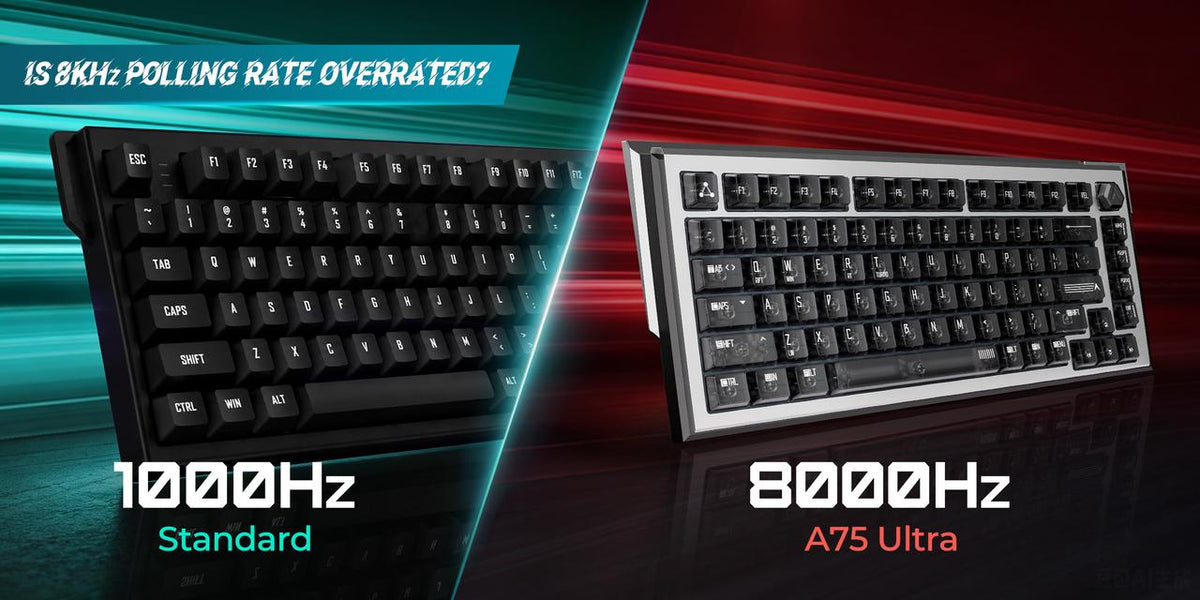
An 8000Hz polling rate is not a guarantee of a faster gaming keyboard. Polling rate only determines how frequently a keyboard reports its state to the computer. Real-world responsiveness depends on the entire input pipeline, including switch technology, MCU performance, firmware optimization, scan rate, USB communication, operating system scheduling, and game engine processing. For most players, a well-engineered 1000Hz or 4000Hz Hall Effect keyboard delivers virtually the same gaming experience as an 8000Hz model. Competitive players may benefit slightly from higher polling rates, but only when the rest of the keyboard is equally optimized.
Quick Answer
Does an 8000Hz polling rate improve gaming performance?
Yes—but only to a limited extent.
An 8000Hz polling rate reduces the maximum USB reporting interval from 1 ms (1000Hz) to 0.125 ms. While this sounds significant on paper, the improvement is only one small part of total keyboard latency. In real gameplay, firmware quality, switch sensing, Rapid Trigger implementation, and overall system latency usually have a much greater impact than polling rate alone.
Why 8000Hz Has Become a Marketing Buzzword
Over the last few years, gaming keyboard manufacturers have competed to advertise increasingly impressive specifications.
Advertising often highlights:
-
8000Hz Polling Rate
-
0.1 ms Response Time
-
Ultra-Low Latency
-
Esports Performance
While these specifications are technically accurate, they can also be misleading when viewed in isolation.
Many buyers assume that a keyboard with an 8000Hz polling rate is automatically faster than one running at 1000Hz.
In reality, polling rate represents only one stage of the keyboard's input pipeline.
Two keyboards with identical polling rates can feel completely different depending on their hardware and firmware design.
What Is Keyboard Polling Rate?
Polling rate refers to how often a keyboard sends its current state to the computer.
It is measured in Hertz (Hz).
For example:

Higher polling rates reduce the maximum delay before the keyboard can send a key press to the computer.
However, this communication delay is only one part of overall input latency.
Polling Rate vs Keyboard Latency
Many gamers mistakenly use the terms polling rate and latency interchangeably.
They are related, but they are not the same.
Polling rate measures how often data is transmitted.
Keyboard latency measures the total time from pressing a key to seeing an action occur on screen.
That total delay includes:
-
Switch detection
-
Keyboard scan rate
-
MCU processing
-
Firmware filtering
-
USB polling
-
Operating system scheduling
-
Game engine processing
-
Display latency
Increasing polling rate only affects one step in this chain.
Why Hall Effect Keyboards Often Feel Faster
Hall Effect keyboards are frequently described as "faster" than traditional mechanical keyboards.
Interestingly, this advantage has relatively little to do with the polling rate.
Instead, Hall Effect keyboards benefit from:
These technologies improve how quickly keys activate and reset, often producing a greater improvement in responsiveness than increasing polling rate alone.
The Biggest Myth About 8000Hz
One of the most common misconceptions is:
"An 8000Hz keyboard is eight times faster than a 1000Hz keyboard."
This statement is technically incorrect.
Polling rate affects only the communication interval.
The theoretical reduction is:
-
1000Hz = 1.0 ms
-
8000Hz = 0.125 ms
The difference is:
0.875 milliseconds
While measurable with specialized equipment, this improvement is extremely small compared with total end-to-end system latency, which often ranges from 15–40 ms depending on the PC, monitor, and game.
What Actually Determines Keyboard Speed?
Instead of focusing on a single specification, evaluate the entire hardware platform.
-
Switch Technology
Different sensing methods introduce different behaviors.

Hall Effect switches eliminate contact bounce while supporting advanced firmware features.
-
MCU Performance
The microcontroller is responsible for processing every key press.
A powerful MCU can:
-
Read sensors faster
-
Execute firmware more efficiently
-
Handle Rapid Trigger calculations
-
Process RGB without affecting latency
-
Prepare USB reports quickly
A weak MCU can become the bottleneck—even on an 8000Hz keyboard.
-
Firmware Optimization
Firmware often determines whether a keyboard feels responsive.
Well-optimized firmware:
-
Reduces processing overhead
-
Improves scan efficiency
-
Optimizes USB communication
-
Delivers consistent behavior
Many latency improvements come from firmware updates rather than new hardware.
-
Scan Rate
Polling rate describes communication with the computer.
Scan rate refers to how often the keyboard checks the switches.
If a keyboard scans slowly, increasing USB polling rate provides little benefit.
Both systems must work together.
-
Rapid Trigger
Rapid Trigger often produces a more noticeable improvement than polling rate.
Instead of waiting for a fixed reset point, Hall Effect keyboards dynamically reset keys as they begin moving upward.
Benefits include:
For FPS games, Rapid Trigger usually has a greater impact than increasing polling rate from 1000Hz to 8000Hz.
Comparing 1000Hz, 4000Hz, and 8000Hz

For most users, the practical difference between these polling rates is much smaller than marketing materials suggest.
Does 8000Hz Improve FPS Games?
The answer depends on the game.
Counter-Strike 2
Movement precision and counter-strafing matter more than raw polling rate.
Rapid Trigger generally contributes more to responsiveness than increasing USB reporting frequency.
Valorant
The difference between 1000Hz and 8000Hz is difficult to perceive during normal gameplay.
Stable firmware and consistent actuation typically provide greater benefits.
Apex Legends
Fast movement mechanics may reveal slight advantages from higher polling rates, particularly for elite players using high-refresh-rate monitors.
Even so, the improvement remains subtle.
Rainbow Six Siege
Slow, deliberate movement reduces the practical impact of ultra-high polling rates.
Consistency remains more important than theoretical communication speed.
Who Should Consider an 8000Hz Keyboard?
An 8000Hz polling rate makes the most sense if you:
-
Compete at a high level in esports.
-
Use a 360Hz or 540Hz monitor.
-
Already own low-latency peripherals.
-
Have a high-performance CPU capable of handling increased USB polling.
For everyone else, investing in a keyboard with excellent firmware, Hall Effect switches, and Rapid Trigger will usually provide greater real-world benefits.
Common Misconceptions
"Higher polling rate always means lower latency."
False.
The polling rate reduces only USB communication intervals.
Overall latency depends on many additional factors.
"8000Hz automatically improves aim."
False.
Aim is primarily influenced by player skill, mouse control, and game mechanics.
Polling rate alone cannot improve accuracy.
"A cheaper 8000Hz keyboard is always better than a premium 1000Hz keyboard."
False.
A well-engineered keyboard with excellent firmware and Hall Effect implementation often feels more responsive than a poorly optimized 8000Hz model.
Comparison Table

Frequently Asked Questions
Is an 8000Hz polling rate worth it?
For most gamers, a high-quality 1000Hz or 4000Hz keyboard provides nearly identical real-world performance. Competitive players with high-refresh-rate systems may notice a slight benefit.
Does polling rate reduce keyboard latency?
Yes, but only one part of total latency. Switch sensing, firmware, MCU performance, and game processing all contribute to overall responsiveness.
Can I feel the difference between 1000Hz and 8000Hz?
Most players cannot reliably distinguish between them during normal gameplay. The difference becomes more apparent only in highly optimized competitive setups.
Does 8000Hz improve Rapid Trigger?
No. Rapid Trigger is a separate firmware feature. Polling rate and Rapid Trigger complement each other but perform different functions.
Is 4000Hz enough for competitive gaming?
Yes. For the vast majority of players, 4000Hz provides excellent responsiveness and is difficult to distinguish from 8000Hz in practice.
Should I choose polling rate or Hall Effect technology?
If forced to choose, Hall Effect technology generally provides more meaningful gameplay improvements through adjustable actuation, Rapid Trigger, and continuous key sensing.
Does an 8000Hz keyboard increase CPU usage?
Yes. Higher polling rates generate more USB reports per second, increasing CPU workload slightly. Modern gaming PCs typically handle this without issue.
What matters most when buying a gaming keyboard?
Consider the entire platform:
These factors usually influence real-world performance more than polling rate alone.
Final Thoughts
The rise of 8000Hz polling rates has pushed gaming keyboards to new technical limits, but it has also created one of the industry's most misunderstood specifications.
Polling rate is important, yet it represents only one component of overall keyboard responsiveness. A keyboard with exceptional firmware, a capable MCU, high scan rates, and well-implemented Hall Effect switches can deliver a faster and more consistent experience than an 8000Hz keyboard that lacks balanced engineering.
For competitive players chasing every possible advantage, 8000Hz may offer a small edge in the right environment. For most gamers, however, the bigger gains come from technologies such as Rapid Trigger, adjustable actuation, and reliable low-latency firmware.
When choosing your next gaming keyboard, look beyond the headline number. The fastest keyboard is not defined by its polling rate alone—it is defined by how efficiently every part of the input pipeline works together.

 adjustable trigger magnetic keyboard

 adjustable trigger magnetic keyboard
 adjustable trigger magnetic keyboard