
 competitive gaming mouse

카트
장바구니가 비어있습니다
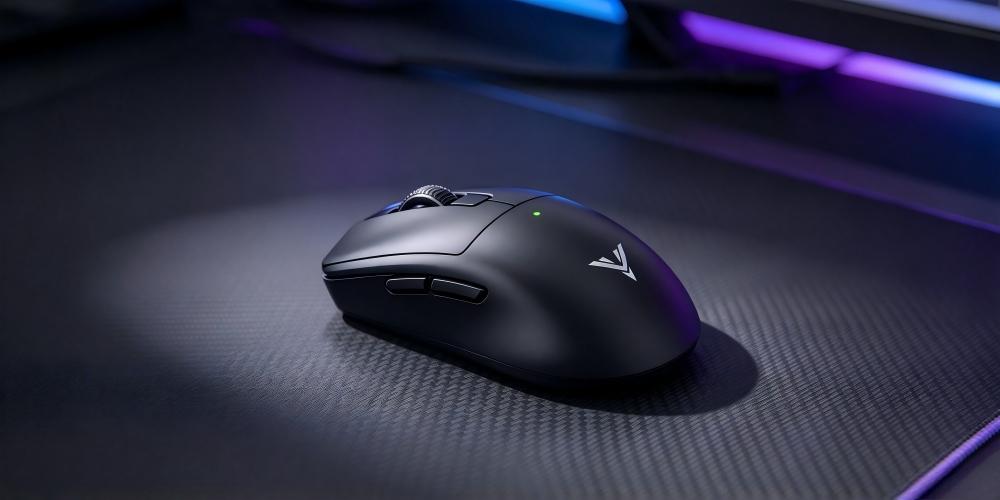
When playing a competitive FPS game, a slight aiming error can be the difference between hitting a target and missing a shot. Sometimes, the problem is not your reaction time. It may be the way your mouse translates physical movement into cursor movement on the screen.
This is why gaming mouse sensor performance deserves more attention than a single DPI number. A reliable sensor needs to track both slow, precise movements and fast swipes without losing consistency. Tracking speed, acceleration tolerance, sensitivity settings, and polling rate all influence how a gaming mouse feels during actual gameplay.
For players who value precise aiming and predictable control, understanding these specifications can make choosing a gaming mouse much easier. The Drunkdeer GLACIER X, for example, combines a PAW3955 flagship sensor with a maximum tracking speed of 750 IPS, up to 50,000 DPI, and an 8000Hz polling rate.
But what do these numbers actually mean, and which specifications matter most when you're trying to improve your aim?
A gaming mouse sensor detects movement across a surface and converts it into cursor movement. Ideally, the movement you make with your hand should translate into a consistent response on the screen.
This becomes particularly noticeable in games that require frequent changes in direction. In an FPS game, you might need to track a moving opponent, flick toward another target, and make a small correction within seconds. If the sensor cannot track these movements reliably, maintaining control becomes more difficult.
A good gaming mouse sensor helps provide consistent tracking across different movement speeds. This matters for several reasons:
More predictable aiming: Your cursor responds consistently to your physical movements.
Better control during fast swipes: Rapid movements are less likely to exceed the sensor's tracking limits.
More reliable muscle memory: Consistent movement makes it easier to repeat familiar aiming techniques.
Greater flexibility: Adjustable sensitivity allows you to find settings that suit different games and play styles.
A high-end sensor will not automatically make someone a better player. Practice, positioning, game knowledge, and sensitivity settings still matter. However, reliable tracking removes one potential source of inconsistency from your setup.

DPI is one of the first specifications people notice when comparing gaming mice. It indicates how sensitive the mouse is to physical movement: at a higher DPI setting, the cursor generally travels farther across the screen for the same hand movement.
However, higher DPI does not automatically mean more accurate aiming.
Many competitive players prefer relatively low sensitivity because it allows them to make controlled movements with their arm and wrist. Others prefer higher DPI settings for quicker cursor movement or different combinations of in-game sensitivity.
The right setting depends on your habits, game, and comfort level.
The Drunkdeer GLACIER X features a PAW3955 sensor with an adjustable range of 100–50,000 DPI. This gives users considerable flexibility when fine-tuning sensitivity, although most players will not need to use the maximum setting.
Rather than choosing DPI based on the largest number available, start with a setting that feels comfortable and make small adjustments. If you frequently overshoot targets, lowering sensitivity may help. If you struggle to turn quickly enough, a modest increase could be worth testing.
The goal is to find a setting that lets you make both large movements and small corrections naturally.
DPI describes sensitivity, but it does not tell you how fast the mouse can physically move while maintaining reliable tracking. For that, another specification matters: IPS, or inches per second.
Maximum tracking speed indicates the physical movement speed a sensor is designed to track under specified test conditions. This becomes relevant when you make rapid flicks, reposition the mouse across a large mouse pad, or change direction quickly during a match.
If a movement exceeds a sensor's tracking capability, the cursor may no longer accurately reflect the mouse's physical movement. A higher maximum IPS rating provides more headroom for fast play styles.
The Drunkdeer GLACIER X is rated for up to 750 IPS, making tracking speed one of its notable specifications.
That said, most everyday mouse movements do not approach extreme tracking speeds. For many players, consistent tracking at their actual playing speed matters more than chasing the highest possible rating. IPS is best understood as one part of the sensor's overall performance, not a direct measurement of aiming skill.

Maximum acceleration, measured in G, describes the acceleration a sensor is specified to tolerate while maintaining tracking. It is relevant when a player moves the mouse abruptly, such as during a fast flick or a sudden change in direction.
The Drunkdeer GLACIER X supports a stated maximum acceleration of 60G, alongside its 750 IPS tracking speed.
These specifications describe different aspects of movement. IPS relates to how fast the mouse can travel across a surface, while acceleration describes how quickly its movement speed can change.
For competitive players, both figures can help indicate whether a sensor is designed for demanding movements. However, a higher G rating does not necessarily translate into visibly better performance for every user.
In practice, consistent tracking, comfortable sensitivity, and a stable mouse surface are usually more useful starting points than focusing on maximum acceleration alone.

Another specification worth understanding is polling rate. Measured in hertz, it indicates how frequently the mouse reports its position to the computer.
A 1000Hz polling rate corresponds to a nominal reporting interval of 1 millisecond. At 8000Hz, the interval drops to 0.125 milliseconds. More frequent reports can provide the system with more up-to-date movement information, although this does not mean the entire input process takes only 0.125 milliseconds.
The Drunkdeer GLACIER X supports an 8000Hz polling rate in both 2.4GHz wireless and USB-C wired modes, powered by the Nordic nRF54LM20A MCU.
For players who want highly responsive input, this is a useful feature. However, the practical difference between polling rates depends on the game, computer hardware, display refresh rate, and overall system configuration. Higher polling rates can also increase processing demands and power consumption.
If you already use a high-refresh-rate display and a system capable of handling frequent mouse reports, an 8000Hz gaming mouse may be worth considering. If your setup is more modest, the improvement may be less noticeable.
The important point is that polling rate complements sensor performance; it does not replace good tracking capability.
Sensor performance is only part of the experience. The mouse buttons also need to respond consistently, particularly in games where quick clicks and repeated inputs are common.
The sensor tracks movement, while the switch detects button presses. These functions are different, but both influence how responsive the mouse feels during gameplay.
The Drunkdeer GLACIER X uses MIMS (Magnetic Induction Micro Switch) technology, which replaces conventional mechanical switch operation with magnetic induction. According to the product specifications, the design eliminates debounce delay and addresses double-click issues associated with traditional switch mechanisms.
The mouse also offers adjustable actuation and customizable haptic feedback. A built-in linear motor provides five haptic intensity presets, allowing users to adjust the tactile confirmation they feel when clicking.
These features are useful to consider alongside the sensor specifications. A mouse may track movement accurately, but its buttons should also suit the way you play.
It is worth distinguishing between a design goal and a measured result: actual end-to-end input latency depends on the complete device and system, so no switch mechanism should be interpreted as eliminating every possible source of delay.
Even a capable sensor can feel difficult to use if the mouse does not fit your hand. Shape and grip influence how comfortably you can move, stop, and reposition the mouse during a game.
Three common grip styles are palm, claw, and fingertip.
Palm grip: Most of the palm rests against the mouse. This can provide a relaxed, supported hand position.
Claw grip: The palm rests toward the rear while the fingers are arched. It allows quick finger movements and frequent adjustments.
Fingertip grip: Only the fingertips contact the mouse, allowing fine finger-driven movements and a broad range of motion.
The Drunkdeer GLACIER X features an ergonomic multi-grip design intended to support all three styles.
There is no universally best grip. Hand size, mouse dimensions, and personal preference all affect comfort and control. If your hand feels strained or you struggle to make small corrections, the mouse shape may deserve as much attention as the sensor specifications.
A good gaming mouse provides a solid foundation, but your settings and playing environment also affect performance.
Start with a consistent DPI setting. Choose a sensitivity that feels manageable and give yourself time to adapt before making further changes. Constantly switching settings can make it harder to build muscle memory.
Use a suitable mouse pad. The surface should provide reliable tracking and comfortable movement. Dust, debris, and an unsuitable surface can interfere with the overall experience.
Keep your sensitivity consistent. If you change DPI, remember that in-game sensitivity also affects the final movement speed. Adjusting both frequently can make it difficult to identify what works best.
Choose a polling rate your system can handle. Higher is not always better for every setup. Test the available settings in your usual games and pay attention to both responsiveness and system performance.
Find a comfortable grip. Your hand should be able to move freely without excessive tension. A comfortable grip can make it easier to repeat movements and maintain control during longer sessions.
These adjustments may seem simple, but they often make a greater practical difference than changing hardware specifications alone.
Not necessarily. DPI controls sensitivity, not overall sensor quality. Accurate tracking also depends on sensor implementation, surface conditions, and consistent settings. The best DPI is the one that suits your playing style.
There is no single IPS rating that every player needs. A higher maximum tracking speed provides more headroom for rapid movements, but actual tracking consistency is equally important. The Drunkdeer GLACIER X is rated for up to 750 IPS.
It can be useful for players who want frequent position updates and have a system capable of handling them. However, the real-world benefit depends on hardware, game performance, and display capabilities. It should be considered alongside sensor quality and personal preference.
The Drunkdeer GLACIER X uses a PAW3955 flagship sensor with a stated range of 100–50,000 DPI, maximum tracking speed of 750 IPS, and maximum acceleration of 60G. These specifications provide flexibility for different sensitivity preferences and demanding mouse movements.
Both matter. Sensor performance affects movement tracking, while shape influences comfort and physical control. A mouse that combines reliable tracking with a comfortable grip is generally a more practical choice than one selected solely for its specifications.
A gaming mouse sensor affects more than how quickly the cursor moves. DPI determines sensitivity, IPS describes maximum tracking speed, acceleration indicates how much rapid movement the sensor is designed to tolerate, and polling rate determines how frequently movement data is reported to the computer. Understanding how these specifications work together makes it easier to evaluate a mouse based on real gaming needs rather than marketing numbers alone.
The Drunkdeer GLACIER X combines a PAW3955 sensor, up to 50,000 DPI, 750 IPS tracking speed, 60G maximum acceleration, and an 8000Hz polling rate in both wired and wireless modes. MIMS technology, adjustable actuation, customizable haptic feedback, and a multi-grip ergonomic design further contribute to its overall control experience.
For players who want more consistent aiming, the best approach is to pair capable hardware with suitable sensitivity settings, a reliable mouse surface, and regular practice. The right gaming mouse should support your movements naturally, allowing you to focus on the game rather than the equipment.

