Quick Answer
Keyboard latency is the total time between pressing a key and your game responding. While Hall Effect keyboards are often marketed as the fastest gaming keyboards, switch technology alone does not determine latency. Factors such as MCU performance, firmware optimization, scan rate, USB polling rate, operating system scheduling, and game engine processing all contribute to overall input delay. Hall Effect keyboards stand out for combining low-latency hardware with advanced features such as Rapid Trigger, adjustable actuation, and continuous key-position sensing.
Key Takeaways
-
Keyboard latency is a complete input pipeline—not just switch speed.
-
Hall Effect switches eliminate debounce delay through magnetic sensing.
-
Firmware optimization often has a greater impact than polling rate.
-
A well-designed Hall Effect keyboard can feel significantly faster in FPS games because of Rapid Trigger and dynamic reset.
-
Lower latency improves movement consistency more than raw reaction speed.
Why Keyboard Latency Matters More Than Ever
Modern gaming hardware has become incredibly fast.
Many players now use:
Yet despite these upgrades, players still experience delayed movement, inconsistent counter-strafes, or sluggish key responses.
The reason is simple:
Every gaming setup has an input pipeline, and your keyboard is the very first link in that chain.
Even if your monitor refreshes hundreds of times per second, a slow keyboard can introduce unnecessary delay before the game even receives your input.
Understanding keyboard latency is therefore essential for anyone who wants to maximize competitive performance.
What Is Keyboard Latency?
Keyboard latency is the total time between pressing a key and seeing the corresponding action occur on screen.
This delay includes much more than switch activation.
The complete input path looks like this:
Finger → Switch Detection → Keyboard MCU → Firmware Processing → USB Transmission → Operating System → Game Engine → GPU Rendering → Monitor Display
Each stage adds a small amount of delay.
While modern gaming keyboards often advertise response times below one millisecond, those numbers usually refer to only one part of the process.
The player's experience depends on the performance of the entire chain.
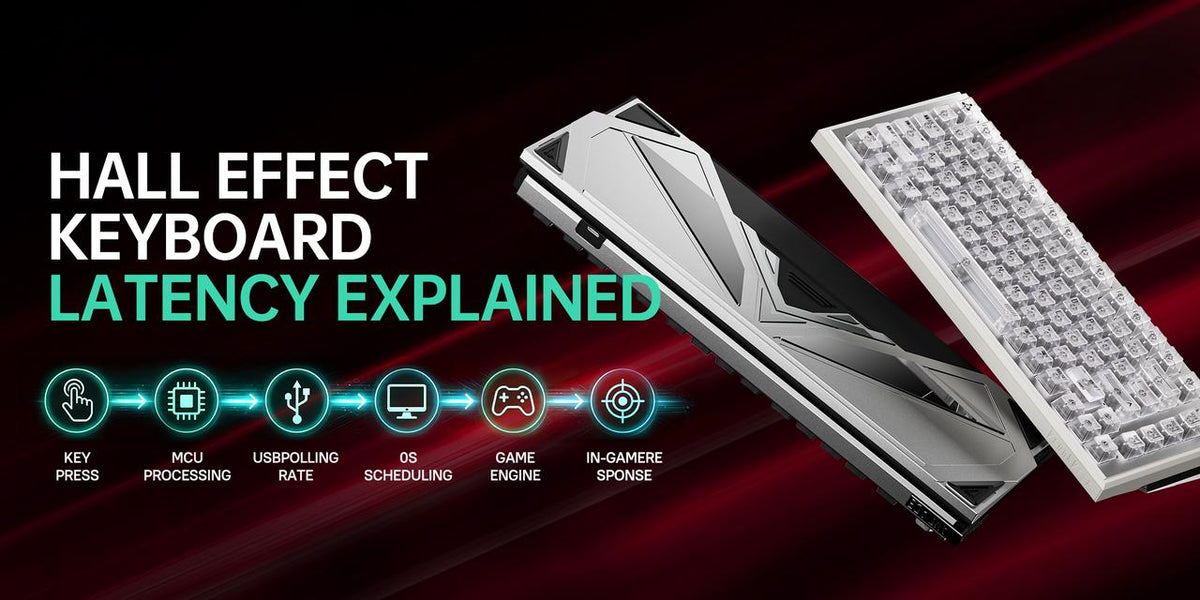
The Six Stages of Keyboard Input
To understand why some keyboards feel faster than others, it helps to break the input process into individual stages.
Stage 1: Switch Detection
The first step is detecting that a key has moved.
Different technologies achieve this in different ways.
Hall Effect switches continuously monitor magnetic field changes, allowing the keyboard to detect movement with exceptional precision.
Unlike traditional mechanical switches, there is no debounce delay caused by metal contacts bouncing together.
Stage 2: Keyboard MCU Processing
After detecting a key press, the keyboard's microcontroller processes the signal.
The MCU determines:
A powerful MCU can process these tasks almost instantly.
A weaker controller may introduce measurable latency regardless of switch technology.
This is why two Hall Effect keyboards can perform differently despite using similar switches.
Stage 3: Firmware Optimization
Firmware is one of the least discussed—but most important—factors affecting keyboard latency.
Good firmware performs tasks efficiently:
-
Reads sensor data quickly
-
Minimizes processing overhead
-
Reduces unnecessary filtering
-
Optimizes USB communication
Poor firmware may delay key registration even on premium hardware.
Manufacturers that regularly improve firmware often achieve noticeable latency reductions without changing the physical keyboard.
Stage 4: USB Polling Rate
Polling rate describes how often the keyboard reports its state to the computer.
Common polling rates include:
Higher polling rates reduce communication intervals, but they are only one component of total latency.
A poorly optimized 8000Hz keyboard may still feel slower than a well-designed 1000Hz Hall Effect keyboard.
Stage 5: Operating System Processing
Once the keyboard sends data, the operating system schedules input events before passing them to the game.
Windows, drivers, background software, and CPU load all influence this stage.
Although users have limited control over OS scheduling, maintaining an optimized system helps reduce overall latency.
Stage 6: Game Engine Processing
Finally, the game processes keyboard input during its simulation loop.
Game engine performance depends on:
This explains why the same keyboard may feel more responsive in one game than another.
Hall Effect vs Mechanical Latency
Many gamers ask whether Hall Effect keyboards are inherently faster than traditional mechanical keyboards.
The answer is nuanced.
Hall Effect switches eliminate physical contact, which removes debounce delay and enables faster signal detection.
Mechanical switches rely on electrical contacts that require filtering to avoid false activations.
This gives Hall Effect technology a natural advantage.
However, switch technology is only part of the equation.
Firmware quality, MCU performance, and software optimization often have a greater impact on overall responsiveness.
Hall Effect vs Optical Latency
Optical switches also eliminate debounce delay by using infrared sensors.
At first glance, this seems similar to Hall Effect technology.
The difference lies in what happens after activation.
Optical switches detect whether the infrared beam is interrupted.
Hall Effect switches continuously measure key travel.
This allows Hall Effect keyboards to support:
-
Dynamic reset points
-
Adjustable actuation
-
Rapid Trigger
-
Analog input
These features improve perceived responsiveness during gameplay, especially in movement-heavy FPS titles.
Why Rapid Trigger Makes Hall Effect Feel Faster
Rapid Trigger is one of the primary reasons Hall Effect keyboards have become popular among competitive players.
Traditional keyboards require a key to return to a fixed reset point before activating again.
Hall Effect keyboards continuously track key position.
As soon as the key begins moving upward, it can reset immediately.
Benefits include:
Importantly, Rapid Trigger does not reduce human reaction time.
Instead, it removes unnecessary mechanical limitations that slow repeated key inputs.
Polling Rate Is Not the Same as Latency
Many advertisements focus heavily on 8000Hz polling rates.
While higher polling rates reduce USB communication intervals, they do not automatically create a faster keyboard.
True latency depends on the combined performance of:
-
Switch detection
-
MCU
-
Firmware
-
USB communication
-
Operating system
-
Game engine
A balanced design is far more important than a single specification.
What Actually Makes a Keyboard Feel Fast?
Players often describe a keyboard as "fast" even when they cannot measure its latency.
This perception comes from several factors working together.
A responsive keyboard typically offers:
These characteristics improve movement rhythm and confidence during gameplay.
Does Lower Latency Improve Gaming Performance?
Lower latency alone will not instantly improve your aim or reaction speed.
However, it can improve:
-
Movement consistency
-
Counter-strafe timing
-
Peek precision
-
Ability activation
-
Input reliability
Professional players often value consistency even more than raw speed.
Knowing that every key press behaves predictably builds stronger muscle memory over time.
Choosing a Low-Latency Gaming Keyboard
When comparing keyboards, don't focus exclusively on polling rate.
Instead, evaluate the entire platform.
Consider:
A keyboard with balanced engineering often outperforms one that simply advertises impressive specifications.
Frequently Asked Questions
What is keyboard latency?
Keyboard latency is the total delay between pressing a key and seeing the action occur in-game.
Is Hall Effect the fastest keyboard technology?
Hall Effect offers extremely low detection latency and advanced movement features, but overall performance depends on the complete keyboard design.
Does polling rate determine latency?
No.
Polling rate affects only USB communication frequency.
Many other factors contribute to total latency.
Why do Hall Effect keyboards feel faster?
Features such as Rapid Trigger, adjustable actuation, and dynamic reset improve movement responsiveness, making the keyboard feel more immediate during gameplay.
Can firmware affect keyboard latency?
Yes.
Firmware optimization is one of the most important factors influencing real-world keyboard performance.
Is 8000Hz necessary?
Not for most players.
A well-optimized 1000Hz or 4000Hz keyboard often provides an experience that is virtually indistinguishable in real gameplay.
Does lower latency improve aim?
Not directly.
Lower latency improves input consistency, which supports more precise movement and positioning.
Should casual gamers care about latency?
Casual players may notice smoother input, but competitive gamers benefit the most from latency optimizations.
Final Verdict
Keyboard latency is far more complex than a single specification on a product page. While switch technology plays an important role, it is only one component in a much larger input pipeline.
Hall Effect keyboards reduce latency through magnetic sensing, eliminating debounce delay while enabling advanced features such as Rapid Trigger and adjustable actuation. Combined with a capable MCU and well-optimized firmware, these keyboards deliver exceptional responsiveness for competitive gaming.
However, the fastest keyboard is not necessarily the one with the highest polling rate or the lowest advertised response time. True performance comes from how hardware, firmware, and software work together to deliver consistent, reliable input.
If your goal is to improve movement precision, reduce input delay, and build more consistent muscle memory in competitive FPS games, understanding keyboard latency—and choosing a keyboard designed around the entire input pipeline—is far more valuable than chasing a single marketing number.
Related Guides
Continue exploring Hall Effect technology with these articles:

 adjustable trigger magnetic keyboard



 Best Hall Effect gaming keyboard
 Best Hall Effect gaming keyboard